
cropper
update
AI Growth Journal
update
  • Home
  • Categories
    • AI & Growth Strategies
    • AI Autonomy & Freedom
    • AI Tools & Reviews
    • AI Across Industries
    • The AI Brief
    • AI Ethics & Society
    • AI Learning Hub
    • AI in Daily Life
November 10.2026
2 Minutes Read

Unlock the Life-Saving Potential: 5 Must-Set Health Alerts on Your Apple Watch

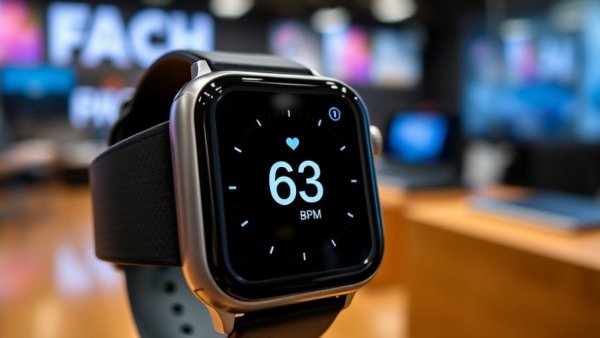
Apple Watch showing heart rate alert with 63 BPM in focus.

Why Seniors Need Health Alerts on Their Apple Watch

As seniors embrace the benefits of technology, setting up specific health alerts on their Apple Watch can significantly enhance their quality of life. Many people aged 65 and older prefer a sense of independence and autonomy, and an Apple Watch provides a discreet yet powerful tool for maintaining health and safety. From emergency features to daily health tracking, these alerts are tailored to the unique needs of seniors.

Emergency SOS: A Lifeline at Your Fingertips

One of the most crucial features that seniors should activate is Emergency SOS. This alert allows users to call emergency services quickly by simply pressing and holding the side button. It’s especially vital for seniors living alone, where the risk of accidents or health issues is high. To get set up, users should ensure that their Medical ID is filled with essential information and include trusted emergency contacts. This can greatly improve response times in critical situations.

Why Fall Detection Could Save Your Life

Statistics show that a staggering one in four seniors fall each year. Apple’s Fall Detection feature proactively helps manage this risk. When this feature is enabled, it will automatically alert emergency services if it detects a fall and the wearer remains immobile. Activating this feature is straightforward, ensuring that seniors have peace of mind as they navigate daily activities.

Proactive Heart Health Monitoring

Monitoring heart health is essential, especially as seniors age. The Apple Watch continually tracks heart rates and can alert wearers to irregular rhythms, like atrial fibrillation. These alerts empower seniors to take proactive steps in managing their cardiovascular health, which is crucial given the alarming frequency of heart disease.

Embracing the Future of Health with Smart Technology

As we look toward 2025 and beyond, the momentum of innovative tech gadgets, like the Apple Watch, continues to grow. This smartwatch, paired with AI-powered health features, becomes more than just a fitness tool; it transforms into a guardian for independent seniors, merging technology with vital health needs.

Seniors who are tech-savvy or are looking to embrace new technology can greatly benefit from these advancements. Understanding and utilizing these health alerts is not just about keeping up with trends but ensuring a safer and healthier life.


AI Tools & Reviews

0 Views

0 Comments

Write A Comment

*
*
Please complete the captcha to submit your comment.
Related Posts All Posts

Transform Your Spare Laptop into a Powerful Second Monitor Easily

Update Maximizing Your Workflow with Second Monitors In today's tech-savvy world, everyone's looking for ways to enhance productivity, whether it’s for gaming, working, or browsing the internet. One of the most effective improvements you can make is to add a second monitor to your setup. This article discusses how to convert a spare laptop into a second monitor, significantly boosting your workflow without needing to invest in expensive hardware. Steps to Use a Laptop as a Second Monitor Using your laptop as a second monitor is easier than you might think, especially if both devices run Windows 10 or 11. Utilizing built-in tools like Miracast, you can wirelessly extend or mirror your display. Start by ensuring both computers are on the same Wi-Fi network. On the laptop you wish to use as a secondary screen, navigate to Settings, select System, and then Projecting to this PC. From here, enable the settings to prepare it for connection. AirPlay for Mac Users For those in the Apple ecosystem, converting your second Mac to a monitor is seamless with AirPlay, provided it's from 2018 or later. Simply go to System Settings, enable AirPlay Receiver, and ensure both Macs are logged into the same Apple ID. With minimal setup, you will enjoy enhanced multitasking across both screens. Connecting Across Different Operating Systems If you're dealing with a mix of operating systems—say a Windows PC and a MacBook—tools like Deskreen come in handy. By downloading this free software on your main device, you can connect your systems wirelessly. Deskreen streamlines the process, allowing you to choose between mirroring and extending displays with just a few clicks. Why Use a Second Monitor? Having a second monitor, especially with laptops, significantly enhances the productivity landscape. You can manage multiple applications with ease, keep an eye on your notifications, or follow video calls without switching between tabs. This dynamic approach is vital for entrepreneurs and tech enthusiasts alike, making it a must-have in our digital age.

Unlocking Gaming Success: How Your NAT Type Impacts Online Play

Update Understanding NAT Types: A Gateway to Better Gaming If you're an avid gamer, you may have encountered NAT types in your online gaming experience and wondered how they affect your gameplay. NAT, or Network Address Translation, is crucial in determining how well your gaming device communicates with the internet and, ultimately, with other players. The Basics of NAT and Its Importance NAT plays a foundational role in managing traffic over the internet, particularly under the IPv4 protocol, which has a limited number of unique addresses available. This technology allows multiple devices in a home to operate under one public IP address, which is essential given the rapid growth of internet-connected devices. The Three Main NAT Types Explained Gaming consoles categorize NAT types into three classifications: Open, Moderate, and Strict. Open NAT allows seamless communication with all players, Moderate restricts some connections, while Strict can limit the ability to join different games. Choosing the Right Setup for Optimal Gaming Experience While you might think that an Open NAT is the ideal situation for gaming, it's essential to balance connectivity with security. Keeping your console behind a router with proper firewall settings is crucial for overall protection. Why NAT Types Matter for Gamers The type of NAT you have can significantly impact your gaming experience. Players with Open NAT can easily join others and host games, while those with a Strict NAT may face connectivity issues, including frequent disconnections and inability to join friends in games. This understanding is critical not only for casual gaming but also for competitive environments where every millisecond counts. Overall, recognizing your NAT type can help you make informed decisions about your network setup and ultimately improve your online gaming experience. For gamers dedicated to achieving the best performance, exploring the best new tech gadgets of 2025 and considering new productivity gadgets can provide the edge needed to enhance both recreational and competitive gaming.

Google's Smart Glasses Collaboration: The Latest AI-Powered Gadgets You Can't Miss

Update Google's Push into Smart Glasses: What You Need to KnowBig Tech is once again stepping into the eyewear game, as Google's partners are gearing up for the release of their new smart glasses. Gentle Monster has revealed plans to launch its “Intelligent Eyewear” this December, with pre-orders opening on November 12, coinciding with a similar timeline from Warby Parker. This collaboration aims to offer a stylish response to Meta's smart glasses, breathing life into the legacy of Google Glass.The announcement comes with a buzzworthy teaser: a cinematic short directed by Jonathan Glazer, featuring Joaquin Phoenix. This collaboration aims not only to promote the product but to spark interest in how AI and augmented reality can intersect art and daily life. However, Google itself has remained mum on the specifics of the release dates, leaving much speculation in the market.These smart glasses will run on Google's Android XR platform, which supports everything from Samsung's mixed reality experiences to audio-first applications on devices like the Xreal Aura. While still shrouded in mystery, Google hopes to capture the innovative spirit needed to compete effectively in the AR marketplace.Is This the Future of Eyewear?The surge in interest surrounding AI-powered gadgets has generated a new wave of excitement for tech enthusiasts. With offerings like Gentle Monster's and Warby Parker's glasses, users are looking at a future where augmented reality becomes integrated into everyday life, much akin to how smartphones have changed the landscape of communication.Potential Impact on Consumers and BusinessesFor entrepreneurs, these smart glasses could represent a fresh avenue for productivity enhancement. Imagine being able to receive notifications, access key information hands-free, or even maintain visual contact with clients during virtual meetings—all integral functions must depend on the design and functionality of these new smart devices.Anticipating the Response to Smart GlassesBoth excitement and skepticism surround the arrival of these devices. Previous attempts with Google Glass met resistance due to privacy concerns and functionality issues. However, Google's strategy of incorporating high-fashion partnerships may position it for a better reception this time. The collective launch of these smart glasses could be pivotal in re-establishing consumer trust and interest in wearable technology.Ready for the Next Wave of Smart Technology?The upcoming releases from Google’s eyewear partners are set to spark conversations, not just about the products themselves but also about the larger implications of AI in our daily lives. As we approach the launch dates, tech followers should stay tuned for what these innovations will mean for the future of personal technology.

cropper
update
WorldPulse News
cropper
update

Write a small description of your business and the core features and benefits of your products.

  • update
  • update
  • update
  • update
  • update
  • update
  • update

COMPANY

  • Privacy Policy
  • Terms of Use
  • Advertise
  • Contact Us
  • Menu 5
  • Menu 6

+13218727566

AVAILABLE FROM 8AM - 5PM

City, State

501 N. Orlando Ave. Ste 313, PMB 183 , Winter Parkk, FL

ABOUT US

Write a small description of your business and the core features and benefits of your products.

© 2026 CompanyName All Rights Reserved. Address . Contact Us . Terms of Service . Privacy Policy

Terms of Service

Privacy Policy

Core Modal Title

Sorry, no results found

You Might Find These Articles Interesting

T
Please Check Your Email
We Will Be Following Up Shortly
*
*
*